


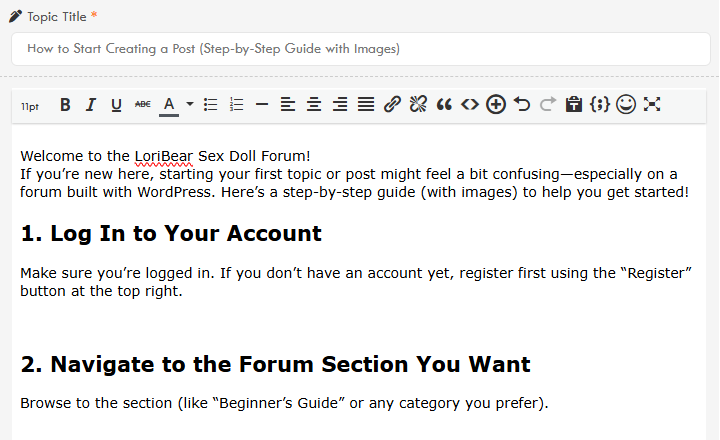
Welcome to the LoriBear Sex Doll Forum!
If you’re new here, starting your first topic or post might feel a bit confusing, right? Here’s a step-by-step guide (with images) to help you get started!
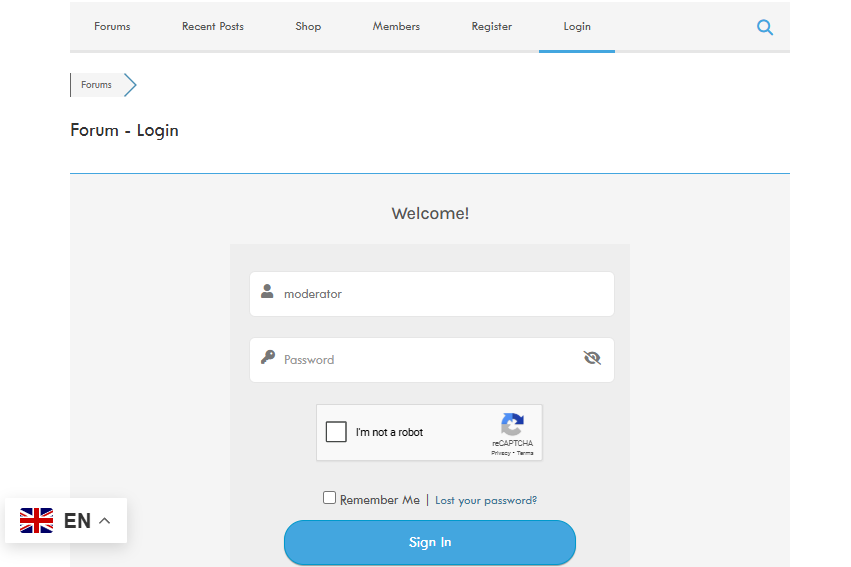
1. Log In to Your Account
Make sure you’re logged in. If you don’t have an account yet, register first using the “Register” button at the top right.
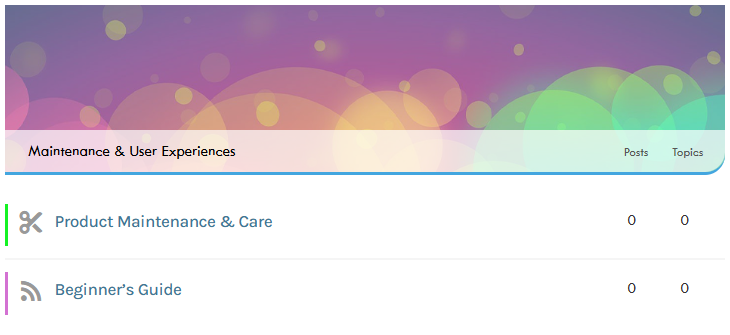
2. Navigate to the Forum Section You Want
Browse to the section (like “Beginner’s Guide” or any category you prefer).
3. Click “Add Topic”
Look for a button labeled “Add Topic”.

4. Fill Out the Form
-
Enter a descriptive title for your topic.
-
Write your message in the main text box.
-
Tip: Use formatting options (bold, lists, images) to make your post clear.
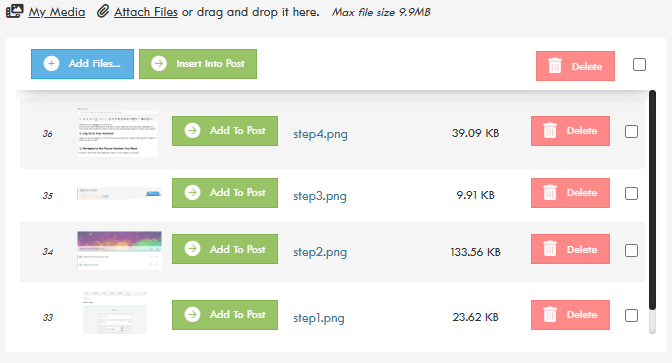
5. Add Images to Your Post
-
Look for the “Add Files” below the text box.
-
Click it to upload a screenshot or image from your device.
-
Select your image and insert it into your post.
6. Review and Submit
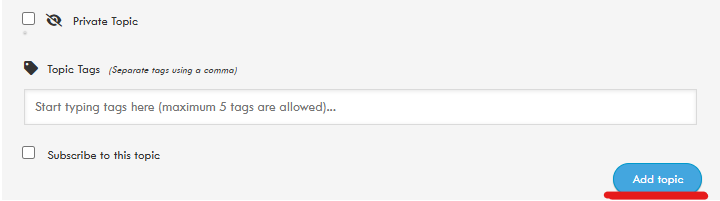
When you're happy with your message, click 'Add Topic' to publish it. You also have the option to make your post private. By subscribing to the topic, you'll receive notifications when there are new replies. Adding topic tags is encouraged, as they make it easier to find your topic in searches.
That’s it!
If you get stuck or your buttons look different, reply here or message a moderator for help.
We look forward to seeing your first post!